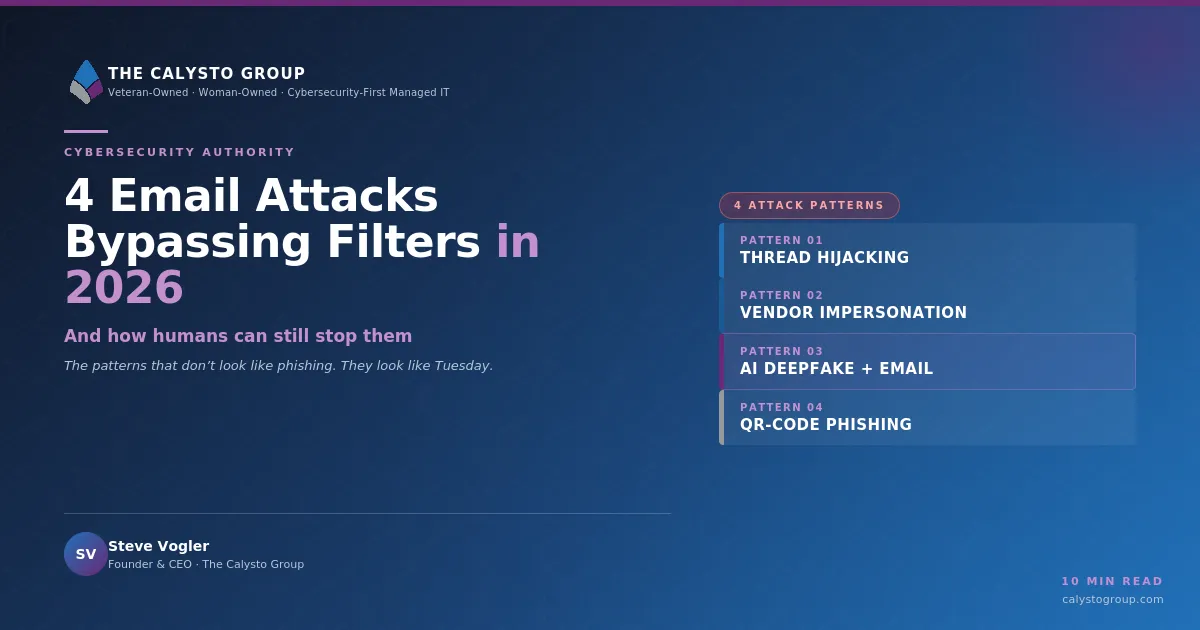
Email Patterns Bypassing Spam Filters in 2026
Email Security, Spam Filters, Thread Hijacking, Vendor Impersonation, AI Deepfake
Four Email Patterns That Bypass Most Spam Filters in 2026 (And How Humans Can Still Stop Them)
In 2026, Email Security tools are better than ever—yet attackers are winning more often, not less. Modern Spam Filters block billions of obvious phishing attempts, but a small set of sophisticated patterns consistently slip through and reach decision‑makers’ inboxes. For businesses and agencies, these are the attacks that lead to wire fraud, data breaches, and reputational damage.
Why “Good Enough” Email Security Fails in 2026
Leading providers now use AI, behavioral analysis, and sandboxing to stop traditional phishing and malware. Yet the threat data from 2026 tells a different story:
Microsoft reports 10.7 million BEC attacks in Q1 2026 alone, with a growing share using subtle social engineering rather than obvious payloads.
Sublime Security notes that over 28% of BEC attacks involve Thread Hijacking, where attackers reply inside real conversations rather than starting new ones.
QR‑code phishing (quishing) has exploded, with Microsoft seeing a 146% increase in QR‑based phishing in just one quarter.
These attacks are designed to look legitimate to both humans and machines. They exploit trusted domains, existing conversations, and even AI Deepfake voice calls. To build a resilient defense, businesses and agencies need to understand four specific patterns that routinely bypass Spam Filters and email security tools—and the human cues that still work when technology does not.
1. Thread Hijacking: The Attack That Starts in the Middle of the Conversation
How Thread Hijacking Works
Thread Hijacking occurs when an attacker gains access to a legitimate mailbox—often via stolen credentials from a previous phishing campaign or password reuse—and then replies within an existing email chain. Because the attacker is using the real account, the email appears in the same thread, with the same subject line and history, and often the same signatures and disclaimers.
According to recent analysis of BEC campaigns, more than a quarter of advanced attacks now leverage Thread Hijacking. The technique is particularly effective in long‑running projects, procurement discussions, and legal or financial negotiations where participants already expect ongoing back‑and‑forth communication.
Real‑World Example (Anonymized)
A regional government agency was finalizing a multi‑million‑dollar IT contract with a long‑standing vendor. The vendor’s project manager had his Microsoft 365 account compromised after reusing a password that appeared in a separate data breach. Attackers quietly monitored his inbox for several days, learning the tone, timing, and structure of the project emails.
At a critical milestone, the attackers replied inside the existing thread:
“Per our earlier discussion, please see the updated banking details for the phase‑two payment. Our finance team completed a transition to a new account last week. Kindly ensure all future payments use the attached remittance form.”
The email came from the correct domain, inside a trusted thread, with the usual signature. Only a last‑minute verification call—triggered by a cautious finance manager—prevented a seven‑figure transfer to a mule account overseas.
Why Spam Filters Miss It
Legitimate authentication: The email passes SPF, DKIM, and DMARC because it is sent from the real account, not a spoofed one.
Benign content profile: No obvious phishing keywords, malware, or suspicious attachments. Often the only change is a bank account number or a link to a “secure document portal.”
Conversation context: Many Email Security engines still treat replies within existing threads as lower risk, especially when there is a history of legitimate correspondence between the two domains.
What the Attacker Wants
Redirected payments (changing bank details for invoices, retainers, or project milestones).
Confidential documents (requesting updated contracts, financial reports, or credentials “to complete onboarding”).
Human Cues That Still Work
Context mismatch: A sudden request to change payment details, rush a transfer, or share sensitive documents—even if it appears in a familiar thread—should trigger out‑of‑band verification (phone call, known video channel, or separate confirmed email).
Subtle style drift: Slight changes in greeting, punctuation, or sign‑off (for example, a colleague who never says “Kindly” suddenly using it) can be a red flag, especially combined with financial instructions.
📌 Key Takeaway: Treat any request to change financial details as high risk, no matter how legitimate the email thread looks. Verification must leave the email channel.
2. Vendor Impersonation Using Legitimate Domains
Beyond Spoofing: When the Vendor Is Actually Compromised
Traditional vendor impersonation involved look‑alike domains (for example, acme‑payr0ll.com instead of acme‑payroll.com). In 2026, attackers increasingly compromise the vendor’s real email environment—often smaller accounting firms, logistics providers, or niche SaaS vendors with weaker defenses—and then impersonate them from inside their legitimate domain.
Because SPF, DKIM, and DMARC are all valid, and the sender domain is one your organization already trusts, most Spam Filters treat these messages as low‑risk. The Email Security challenge is no longer “Is this domain real?” but “Is this behavior normal for this relationship?”
Real‑World Example (Anonymized)
A mid‑size marketing agency regularly received invoices from a boutique translation vendor. Attackers compromised the vendor’s cloud email account through a password spray attack against a reused admin credential. Over the next week, they sent carefully timed “invoice updates” to multiple customers, including the agency.
The email came from the exact address the agency had on file, with prior invoice attachments still visible in the thread. The only differences: a new PDF invoice with altered bank details and a slightly different file‑naming convention. The agency paid two invoices to the attacker’s account before the real vendor noticed missing payments.
Why Spam Filters Miss It
Trusted sender reputation: The domain has a history of legitimate communication with your organization. Reputation‑based Email Security models score it highly, not as a threat.
Clean payloads: The attachment is a simple PDF with no embedded macros or links. Content scanning finds nothing malicious.
Normal‑looking language: AI‑generated text mimics the vendor’s tone closely enough that keyword‑based detection yields no strong signals.
What the Attacker Wants
Direct payment diversion (changing settlement accounts for recurring invoices or one‑off projects).
Broader access to your environment (requesting portal credentials or “temporary admin access” to “resolve a billing issue”).
Human Cues That Still Work
Process deviations: Any change to how you normally pay a vendor—new bank details, new payment portal, new contact—should require secondary approval and independent verification using phone numbers or contacts already on file.
Unusual urgency or secrecy: Phrases like “due to an urgent audit” or “please do not copy others until this is resolved” are classic BEC markers, even when they appear on legitimate letterhead.

Small changes in vendor payment details are a leading cause of BEC losses.
3. AI‑Generated Executive Impersonation: Deepfake Voice plus Email Combo
When AI Deepfake Meets Business Email Compromise
In 2026, AI‑generated phishing is mainstream. KnowBe4 estimates that 86% of phishing attacks are now AI‑generated, enabling attackers to mimic internal writing styles with uncanny accuracy. The newest evolution pairs Email Security evasion with AI Deepfake voice calls: an email from a senior executive is followed by a brief “confirmation” call using a cloned voice created from public interviews or internal recordings.
This multi‑channel strategy dramatically increases pressure on the target and makes it far harder for traditional Spam Filters—focused solely on email content—to flag the attack as suspicious.
Real‑World Example (Anonymized)
A national non‑profit’s CFO assistant received an email appearing to come from the CEO, referencing a confidential acquisition. The email was short, direct, and matched the CEO’s known style, including his typical sign‑off and use of abbreviations. It asked the assistant to be “on standby” for a time‑sensitive transfer and to keep the matter restricted to “executive staff only” until the board announcement.
Fifteen minutes later, the assistant received a call from a number spoofed to match the CEO’s personal mobile. The voice on the line sounded exactly like the CEO—cadence, tone, even small verbal tics—thanks to an AI Deepfake model trained on public speeches. He “confirmed” the urgency and instructed the assistant to follow the emailed instructions immediately.
The only reason the transfer was stopped: the bank’s fraud team flagged the destination account as high‑risk, prompting a manual review and a real follow‑up call with the actual CEO.
Why Spam Filters Miss It
Perfectly tailored language: AI models trained on internal communications can replicate an executive’s style, vocabulary, and formatting, leaving no obvious linguistic anomalies for content‑based filters to detect.
No malicious links or attachments: Many of these BEC emails simply instruct recipients to initiate wire transfers or share data via already‑trusted systems, avoiding technical indicators of compromise.
Out‑of‑band reinforcement: The follow‑up AI Deepfake voice call happens outside the email channel, where Email Security controls have no visibility.
What the Attacker Wants
Large, same‑day wire transfers framed as acquisitions, emergency vendor payments, or crisis responses.
Sensitive data (payroll lists, donor databases, M&A documents) that can be resold or used for further identity‑based attacks.
Human Cues That Still Work
Policy over personality: A well‑trained employee knows that no executive can override core financial controls by email or phone. If your policy requires two approvals and documented justification, “the CEO said so” is not a valid exception.
Channel switching for verification: If a request is highly unusual, employees should initiate contact back through a separately verified channel—such as calling a known number stored in the corporate directory, not the one displayed in the email or caller ID.
💡 Pro Tip: Train staff to treat voice, video, and email as equally spoofable. Verification should rely on process and policy, not how familiar a voice or writing style seems.
4. QR‑Code Phishing (Quishing): The Fastest‑Growing Email Threat
Why Quishing Is Surging in 2026
QR‑code phishing, or “quishing,” bypasses many traditional security controls by replacing clickable URLs with QR images that users scan using their phones. Microsoft observed quishing attempts jump from 7.6 million to 18.7 million in a single quarter—a 146% increase—with a 336% spike in QR codes embedded directly in email bodies.
Attackers know that mobile devices often sit outside corporate Email Security stacks and that QR codes are widely used for everything from MFA enrollment to event check‑ins, making them an ideal carrier for malicious links.
Real‑World Example (Anonymized)
A city agency received an email that appeared to come from a well‑known cloud provider, warning that “legacy MFA tokens will be retired” and instructing staff to “scan the QR code to enroll in the new secure authenticator.” The message used correct branding, colors, and legal disclaimers, and the sender domain was a compromised marketing partner, not a throwaway address.
Employees scanned the QR code with their personal phones, which opened a phishing page that perfectly mimicked the provider’s login portal. Credentials entered there were harvested and used minutes later to initiate reverse‑proxy attacks against the agency’s Microsoft 365 environment.
Why Spam Filters Miss It
Non‑text payload: Many legacy Email Security solutions do not deeply analyze images for embedded QR codes, focusing instead on visible URLs and attachments.
Off‑network interaction: The actual phishing interaction happens on a mobile browser, often outside the corporate network, where web filtering and endpoint controls may be weaker or absent.
What the Attacker Wants
Cloud credentials (Microsoft 365, Google Workspace, VPN portals) that can be used for account takeover and Thread Hijacking.
MFA fatigue and confusion, making users more likely to approve unexpected login prompts or share one‑time codes.
Human Cues That Still Work
Source skepticism: Users should be trained to avoid scanning QR codes from unsolicited emails, even if they appear to come from trusted brands. Official MFA changes should be communicated through known admin portals or internal IT announcements, not just a single external email.
Address awareness: After scanning a QR code, users should check the URL in their mobile browser before entering credentials. Misspellings, extra words, or unfamiliar domains are clear red flags.
📌 Key Takeaway: Treat QR codes in email as links you cannot see. If you would not click it on your work laptop, do not scan it with your phone.
Why Technology Alone Will Not Solve These Attacks
Modern Email Security platforms are essential, but they are not omniscient. The four patterns above share three characteristics that systematically evade even advanced Spam Filters:
They leverage trust instead of malware. No attachments with macros, no obvious phishing URLs—just subtle changes to financial instructions or login flows.
They operate across channels. Email plus voice calls, SMS, collaboration tools, and mobile devices. Filters that focus only on the inbox see only part of the attack chain.
They exploit human pressure and fatigue. VIPRE notes that 46% of global commercial spam now comes from compromised accounts or free services, contributing to email fatigue. Under constant noise, even well‑trained employees can miss subtle signs.
Technology can analyze patterns at scale, but it cannot fully understand business context, organizational culture, or the nuance of “this is not how our CFO normally behaves.” That is where human judgment—supported by clear policies and ongoing training—remains irreplaceable.
What a Proper Layered Defense Looks Like in 2026
1. Strengthen the Technical Foundation
Enforce SPF, DKIM, and DMARC. With authentication now a regulatory requirement in many sectors, ensure your domains are fully compliant and configured with reject policies. This will not stop compromised accounts, but it will drastically reduce spoofing noise and brand abuse.
Adopt API‑integrated, AI‑powered Email Security. Modern solutions from leading vendors connect directly to Microsoft 365 or Google Workspace via API, analyzing behavior and relationships rather than just message content. This is critical for spotting anomalies in Thread Hijacking and vendor impersonation.
Extend protection beyond email. Integrate calendar invites, collaboration tools (such as Microsoft Teams), and cloud storage notifications into the same detection fabric. Attackers increasingly pivot between these channels in a single campaign.
2. Make Identity and Access the New Perimeter
Mandate strong, phishing‑resistant MFA. Where possible, use FIDO2 security keys or platform authenticators rather than SMS or basic app‑based codes, which are vulnerable to quishing and reverse‑proxy attacks.
Apply zero‑trust principles. Continuously evaluate user behavior, device posture, and session risk. If an account suddenly initiates unusual financial requests or mass downloads, step‑up verification or automatic session revocation should kick in.
3. Engineer Human‑Centered Controls
Codify high‑risk workflows. Document clear, non‑negotiable steps for actions such as changing bank details, approving large payments, or sharing sensitive data externally. These should include multi‑person approvals and out‑of‑band verification, regardless of who appears to request the change.
Deliver continuous, scenario‑based training. Move beyond generic phishing slides. Use realistic simulations of Thread Hijacking, vendor impersonation, AI Deepfake executive emails, and quishing campaigns tailored to your environment. Measure click‑through and report rates, then refine training accordingly.
Reduce email fatigue. Limit unnecessary broadcast emails, consolidate notifications, and use priority tagging so that staff can focus on what truly matters. A less cluttered inbox makes it easier to notice anomalies.
4. Prepare to Respond, Not Just Prevent
Establish an incident playbook for email compromise. Define how to contain a compromised account, notify affected partners, rotate credentials, and review financial transactions quickly. Time is critical in BEC scenarios.
Leverage threat intelligence. Participate in sector‑specific information‑sharing groups and integrate threat feeds into your Email Security stack to spot emerging patterns, such as new quishing kits or AI Deepfake campaigns targeting your industry.
Bringing It All Together: Humans and Machines on the Same Side
The four Email Security patterns dominating 2026—Thread Hijacking, vendor impersonation from legitimate domains, AI‑generated executive impersonation with Deepfake voice, and QR‑code phishing—share a common goal: to make malicious requests look like ordinary business. They bypass Spam Filters not because those filters are weak, but because the attacks are designed to blend into the background of everyday work.
For businesses and agencies, the path forward is not to abandon technology, but to recognize its limits and deliberately design for human strengths. Machines excel at pattern recognition at scale; people excel at understanding context, relationships, and when “something just feels off.” A mature, layered defense strategy brings both together:
Advanced, behavior‑aware Email Security to filter the vast majority of threats and highlight anomalies.
Identity‑centric controls and zero‑trust principles to limit what a compromised account can do.
Clear processes and empowered employees who know when—and how—to say “no” or “verify” even when a request appears to come from a trusted source.
In a landscape where attackers increasingly use AI to mimic your colleagues, vendors, and leaders, your best defense is not a single product. It is a disciplined combination of technology, process, and people that assumes every channel can be faked—and designs resilience accordingly.